
Intelligent A-Sync
An advanced setting that can make your feature faster by running certain steps at the same time
Turning on Intelligent A-Sync can make your feature faster. When you turn it on, the feature runs independent steps at the same time.
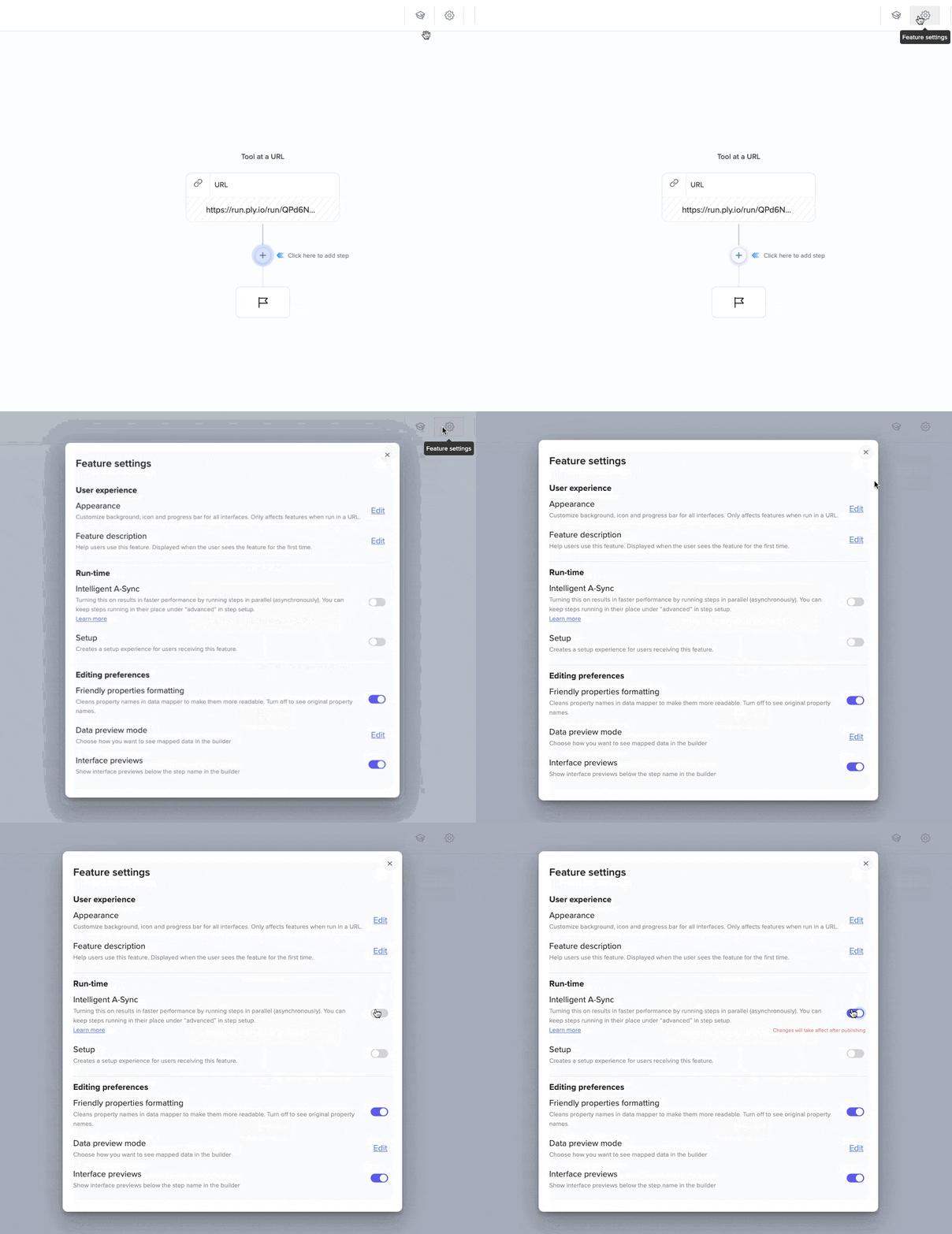
Enable Intelligent A-Sync in your feature's settings:
What are "independent steps"?
Let's say you are getting data from two different sources (e.g. a contextual email and your database), and showing data from both sources in an interface.
The steps that get data from each source are independent. With Intelligent A-Sync on, they will run at the same time. But the interface step depends on both of them, so it will run only after both have finished running.
If Intelligent A-Sync is not on, the steps that get data from the two sources will run one after the other, making the feature work slightly slower.
More generally, a step B is independent of a step A if A's output has no effect in the workflow on B's input.
Running specific steps in the right order
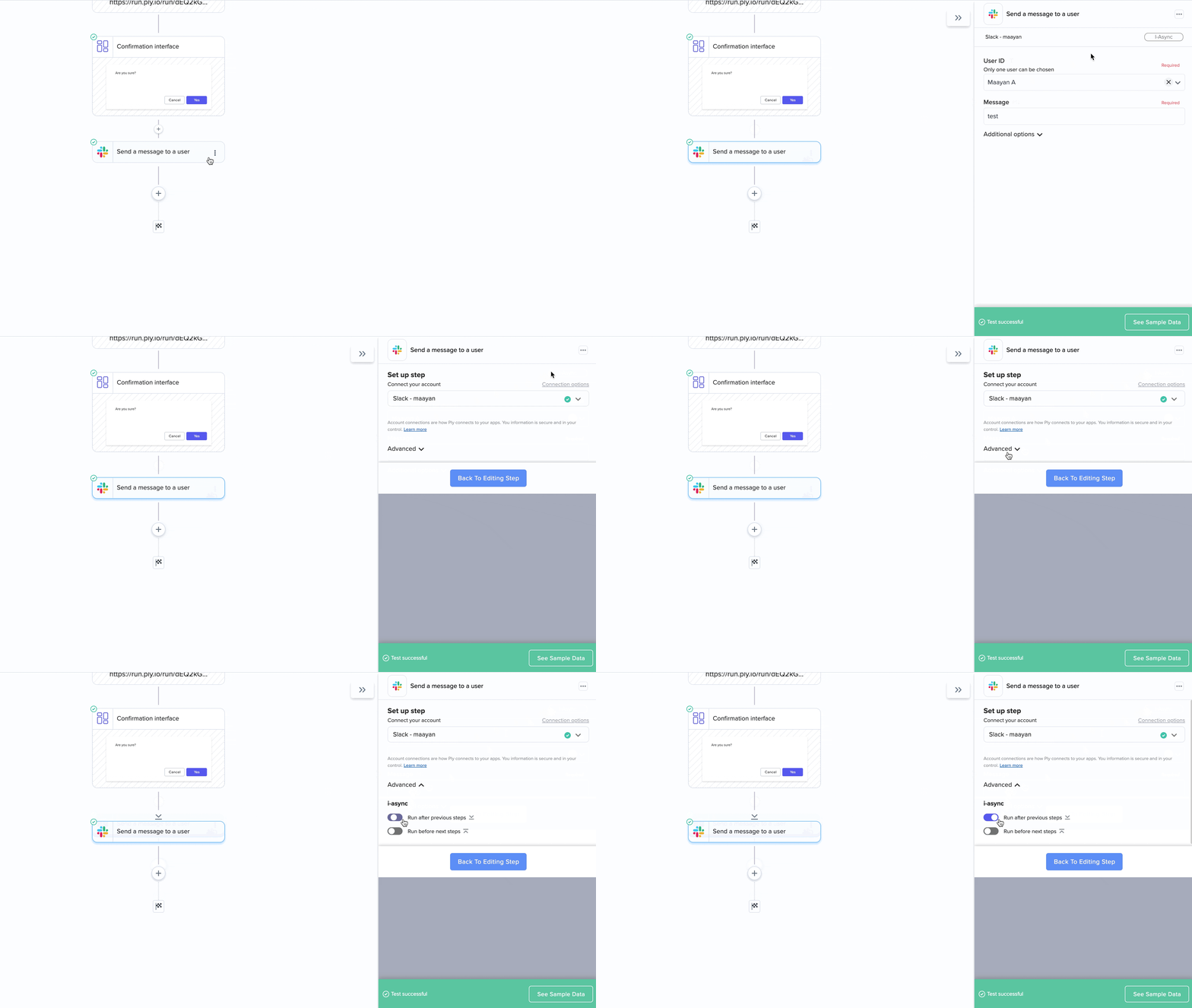
If you want your feature to work faster but there are specific steps that need to run in the right order, you can use advanced step settings to make them run before later steps or after previous steps.
This might be the case if you have a confirmation interface, and later steps are not dependent on it. You probably want the workflow to continue only if the user chooses to submit the interface.
In that case, set the steps after the interface to run after previous steps:
Last updated