
URL parameters
URL parameters work by passing information to your feature via the URL where your users access it. You decide how the feature uses this data when setting up its workflow.
How to add URL parameters
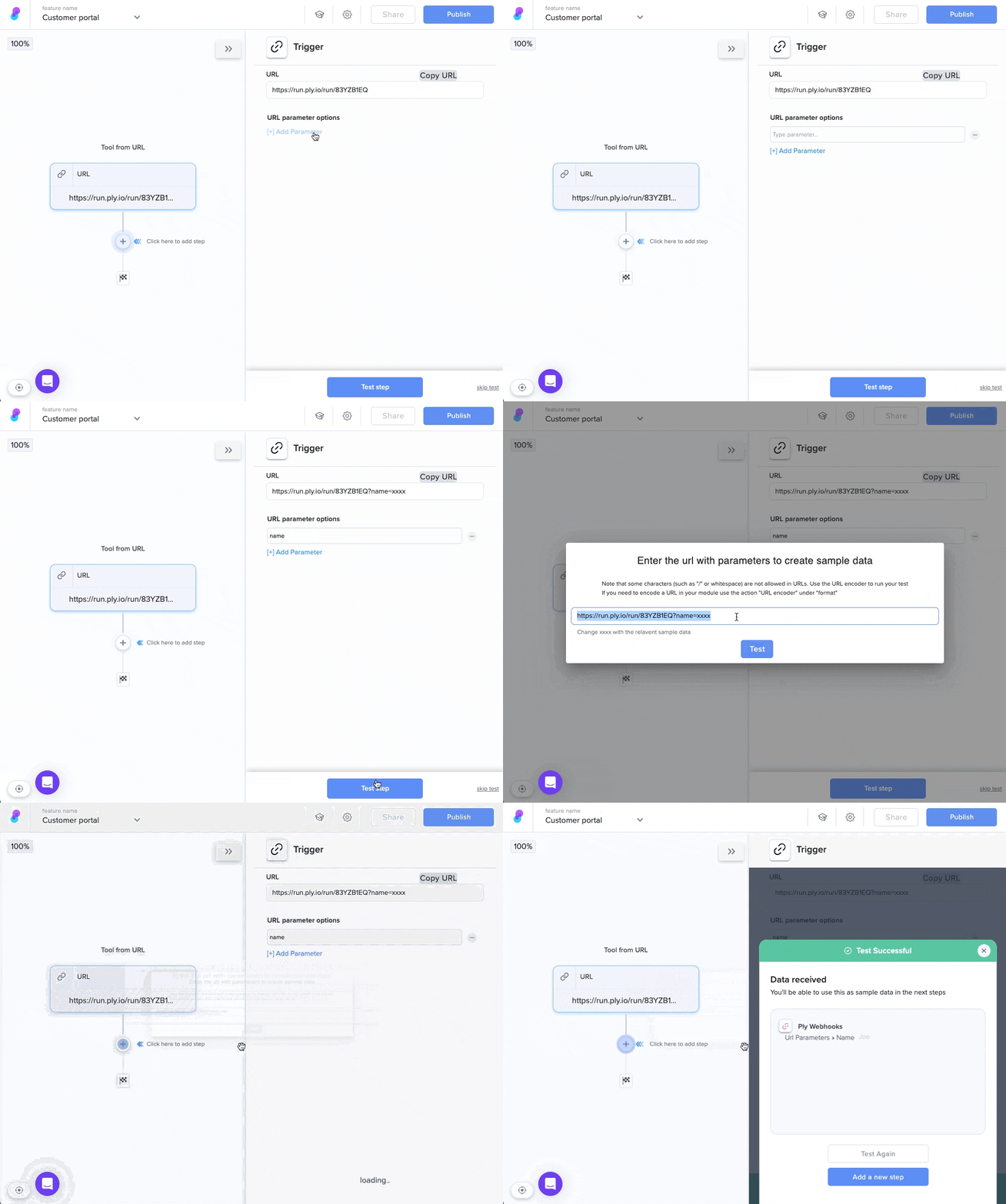
Add a URL parameter in the trigger step of a feature and add sample data to the URL when testing the step:
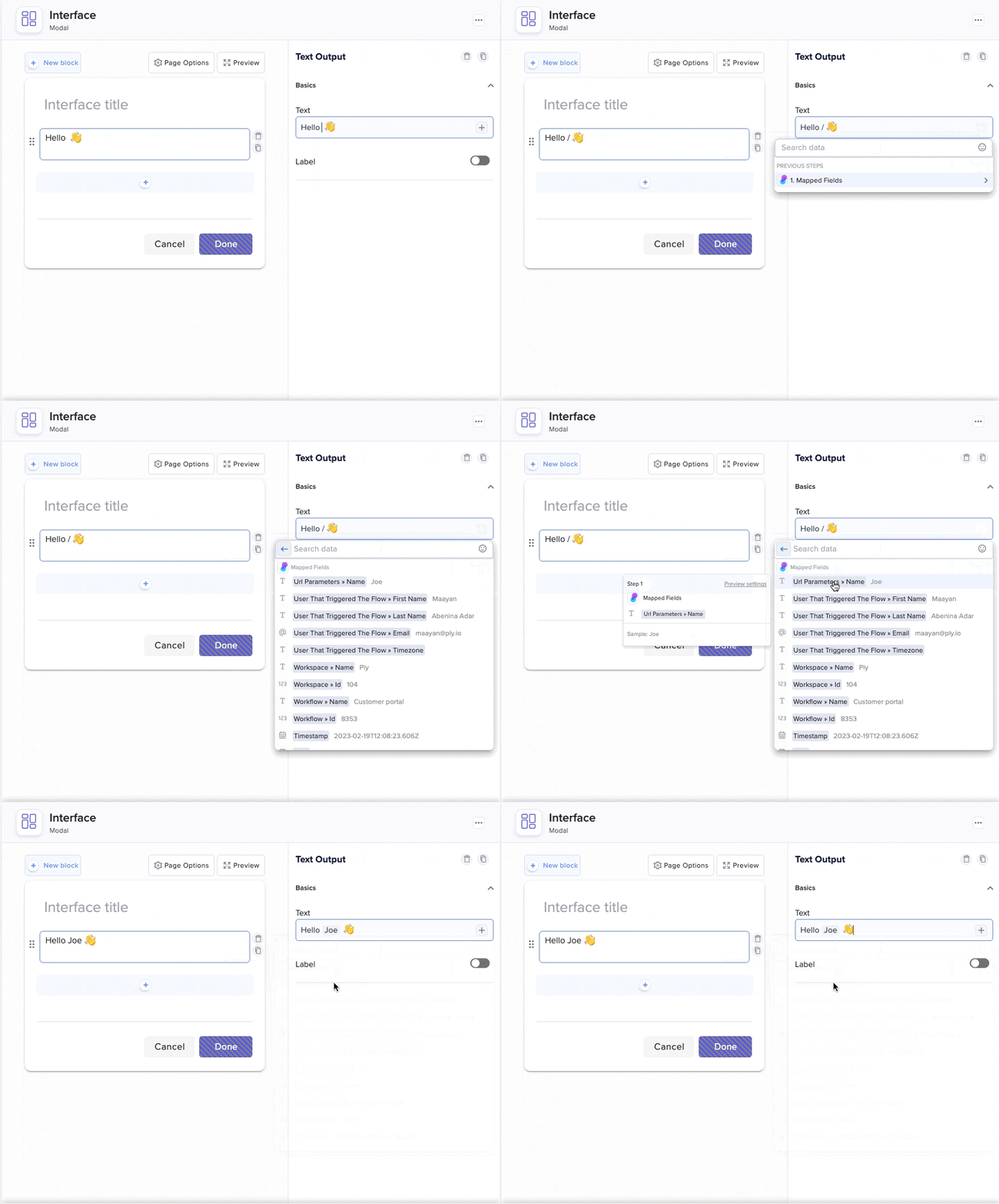
Then, insert the sample when setting up your workflow:
After publishing, substitute xxxx in the URL with the value you want to use with your customer.
You can use Intercom, MailChimp, HubSpot, and many other CRM and email automation apps to handle these substitutions automatically. Alternatively, you can substitute xxxx manually before sending your customer a link to the feature.
Last updated