
Split text
Use this helper to separate a text into the specific parts that you need.
Common use cases
Split a full name into first and last names
Extract the first name from the full name
Extract an item from a comma-separated list
Turn a comma-separated list into a table See example
Extract domain from email address See example
Setup
The helper takes a string of text as input, a separator, and a desired output. It uses the separator to split the string into parts, and then returns a value (or values) based on the output parameter.
Example 1 - Split a full name into first and last (remainder)
Text: Sarah Parker Smith
Separator: " "
Output parameter: First and remainder as separate values
Output value 1: Sarah
Output value 2: Parker Smith
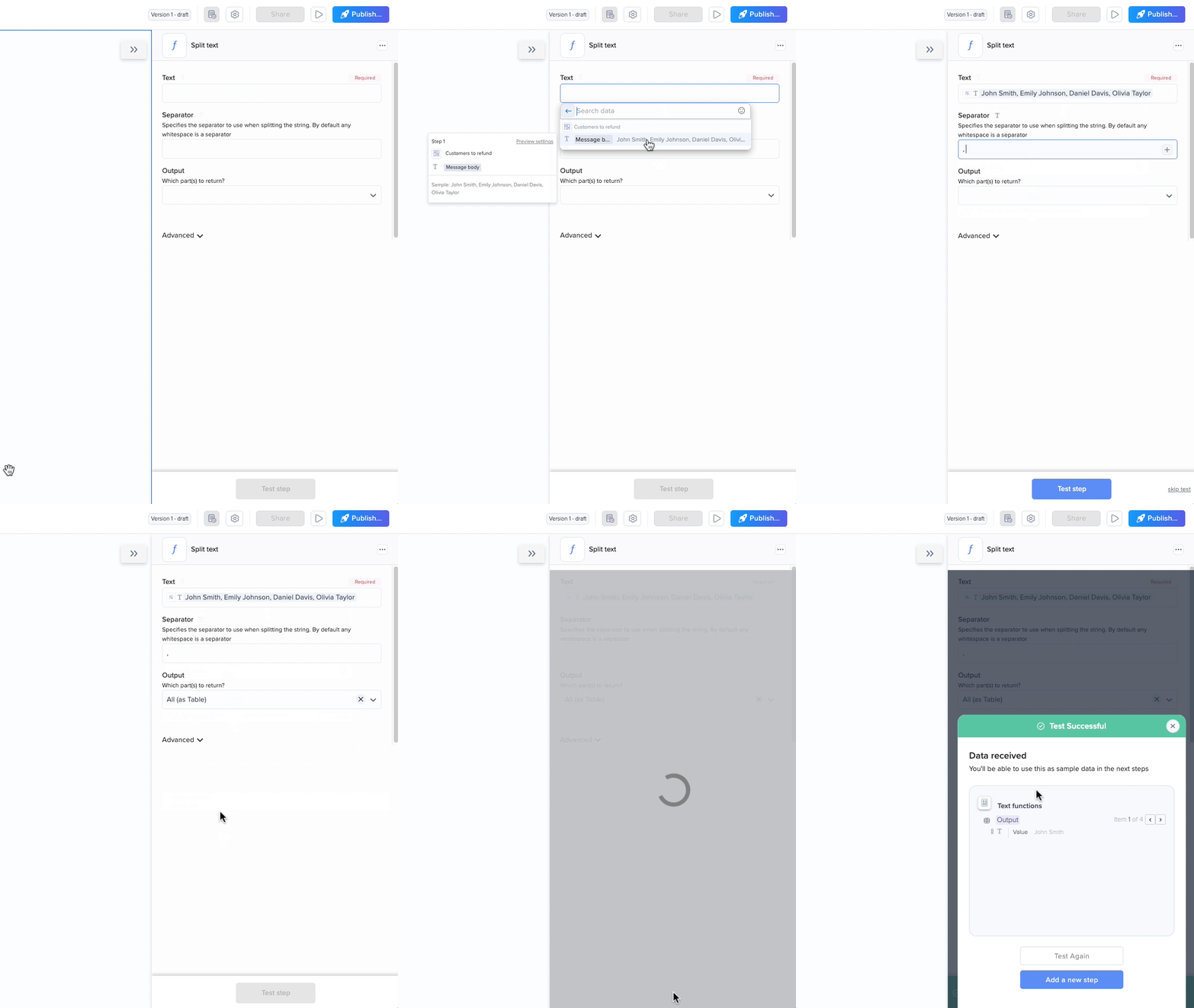
Example 2 - Extract names from a comma separated list
Text: John Smith,Emily Johnson,Daniel Davis,Olivia Taylor
Separator: ","
Different outputs for different output parameters:
First
The first part from the split text
John Smith
Second
The second part from the split text
Emily Johnson
Last
The last part from the split text
Olivia Taylor
Second to Last
The second to last part from the split text
Daniel Davis
All (as table)
All split parts of the text, returned as a table
Table with 4 items: John Smith Emily Johnson Daniel Davis Olivia Taylor
All (as separate values)
All split parts of the text, returned as values
Value 1: John Smith Value 2: Emily Johnson Value 3: Daniel Davis Value 4: Olivia Taylor
Example 3 - Extract a domain from an email address
To extract the domain from an email address, let’s look at the structure of an email address: user@domain.com
Step-by-step instructions
Use the separator @, which will split the text to the user and domain.
To get the domain, use the output parameter “last”
Output: domain.com
The output parameter Second would work too in this case.
Last updated