
Ply feature types
Ply lets you build portals for your customers. You can also use it to build add-ons, notifications, and tools for your teammates.
Portals (customer features)
Build powerful experiences for your customers in a completely new way – super smart routing forms, data or issue intake, and more.
Portals can get and send data in between user interfaces, making them much more powerful than your standard form builder.
Team features
Add-ons
Ply add-ons are features added directly into the apps that you and your team use with your custom functionality and business logic.
Create an add-on by clicking on the Ply extension in any supported app:
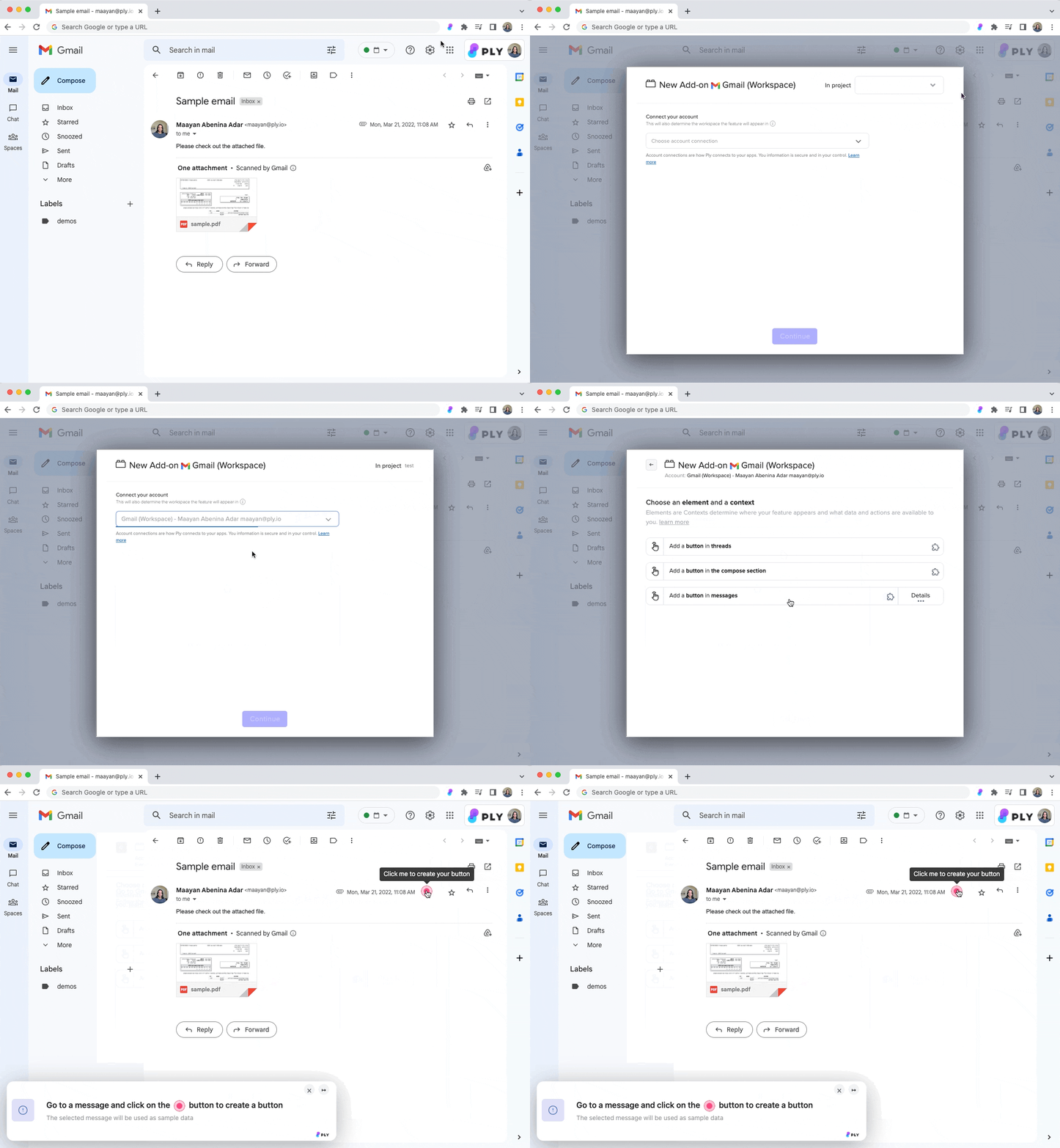
You can also create them from Ply's webapp.
Notifications
Notifications let you handle and respond to events in a structured way. You can receive them in your browser, in Slack, or over email, and they let you take action in the context of what happened by triggering a workflow.

You can connect a notification feature to a shared inbox so that your team can handle it.
Create notifications from the webapp.
Tools
Tools let you bring your apps’ functionality outside of your apps, especially via Ply’s command bar. The command bar is a collection of internal tools accessible on any website through a custom keyboard shortcut:
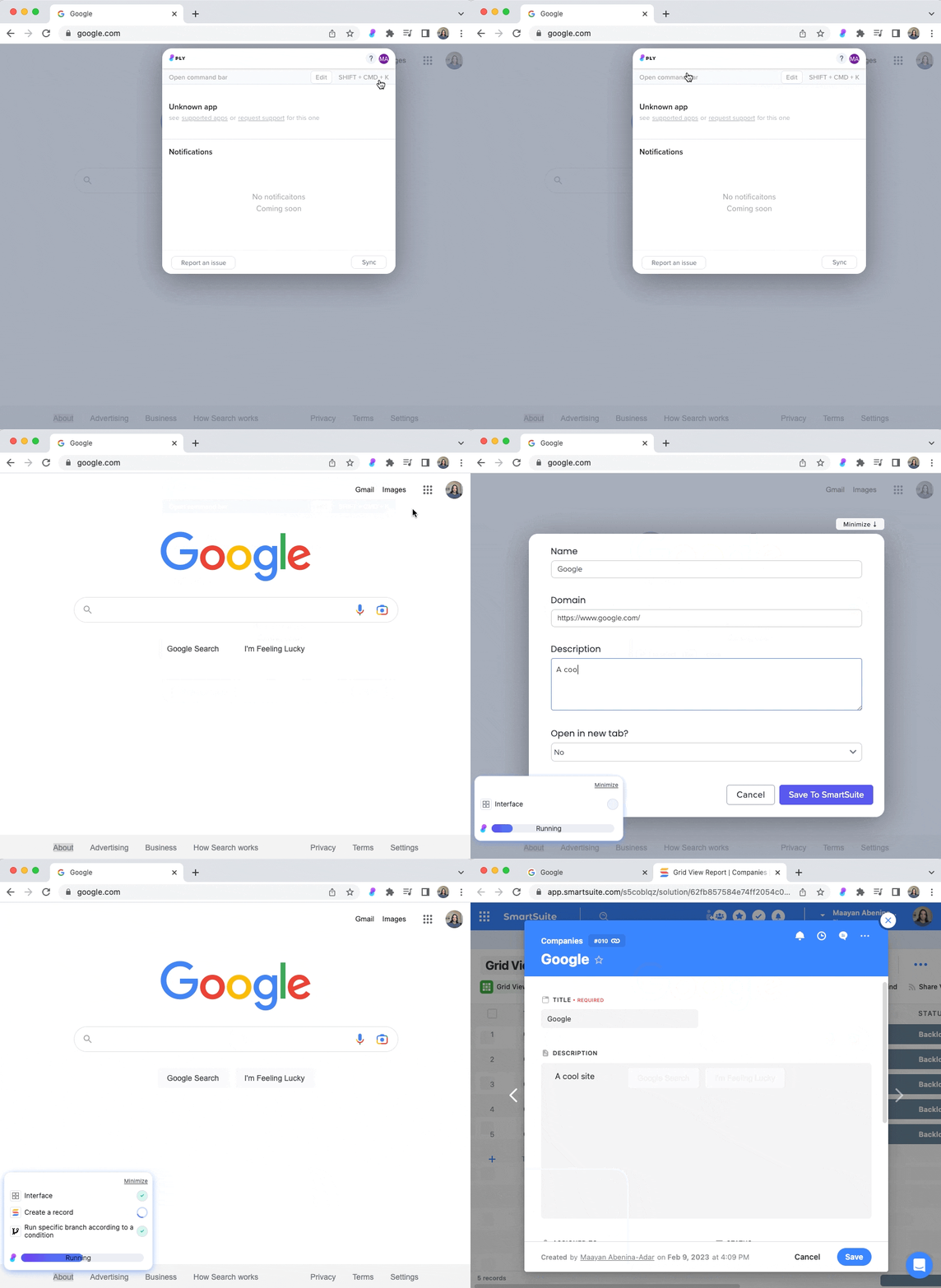
Command bar tools display interfaces overlayed over the current website, and their workflows have access to the current URL and highlighted text.
Create command bar tools from the command bar itself or from the webapp.
Last updated