
Troubleshooting
Why don't I see my add-on buttons?
If you can't see you add-on, you may need to do the following:
Install Ply's Chrome extension (download here)
Log into your account in the extension
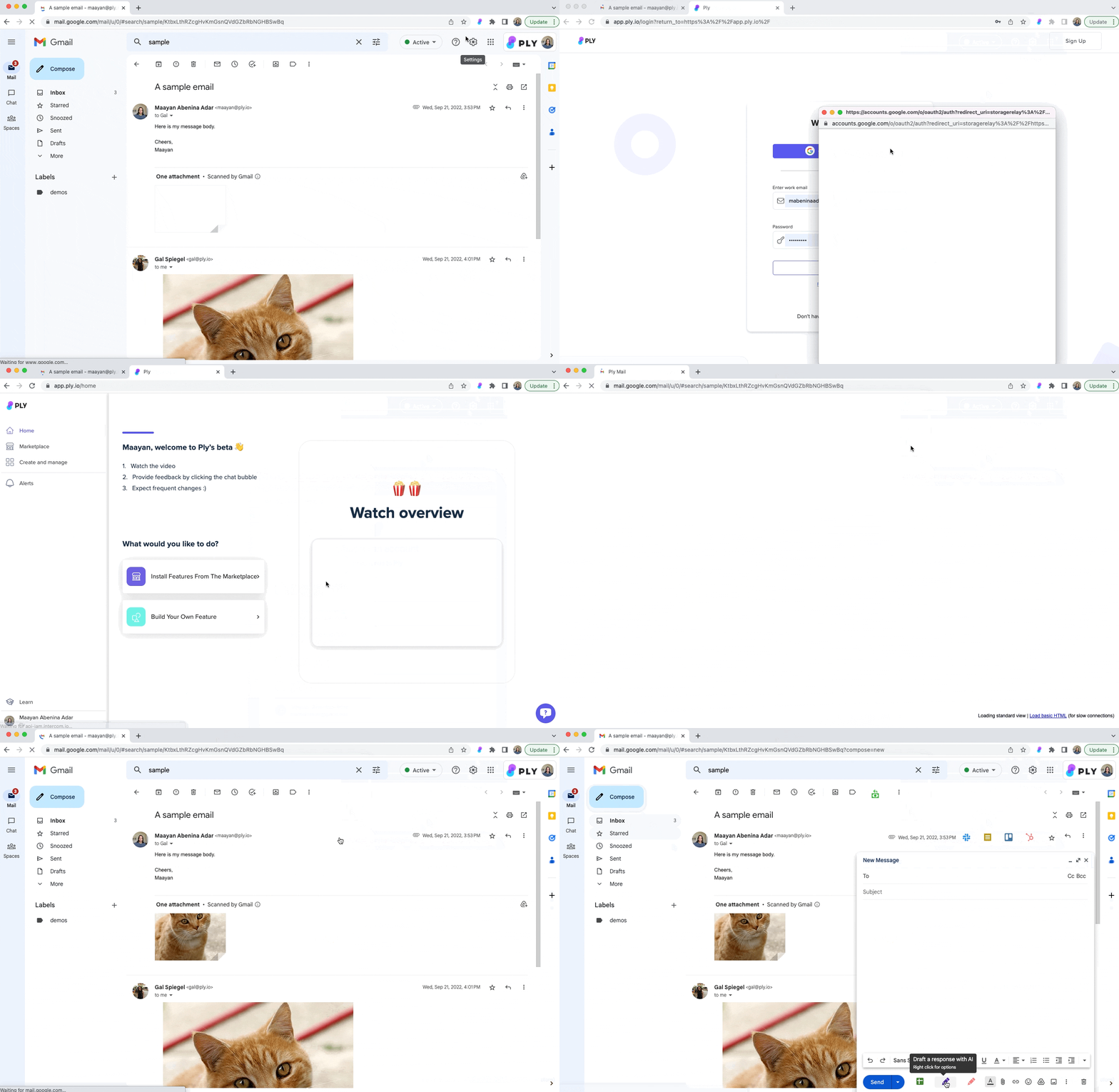
Make sure your buttons are not hidden and synced
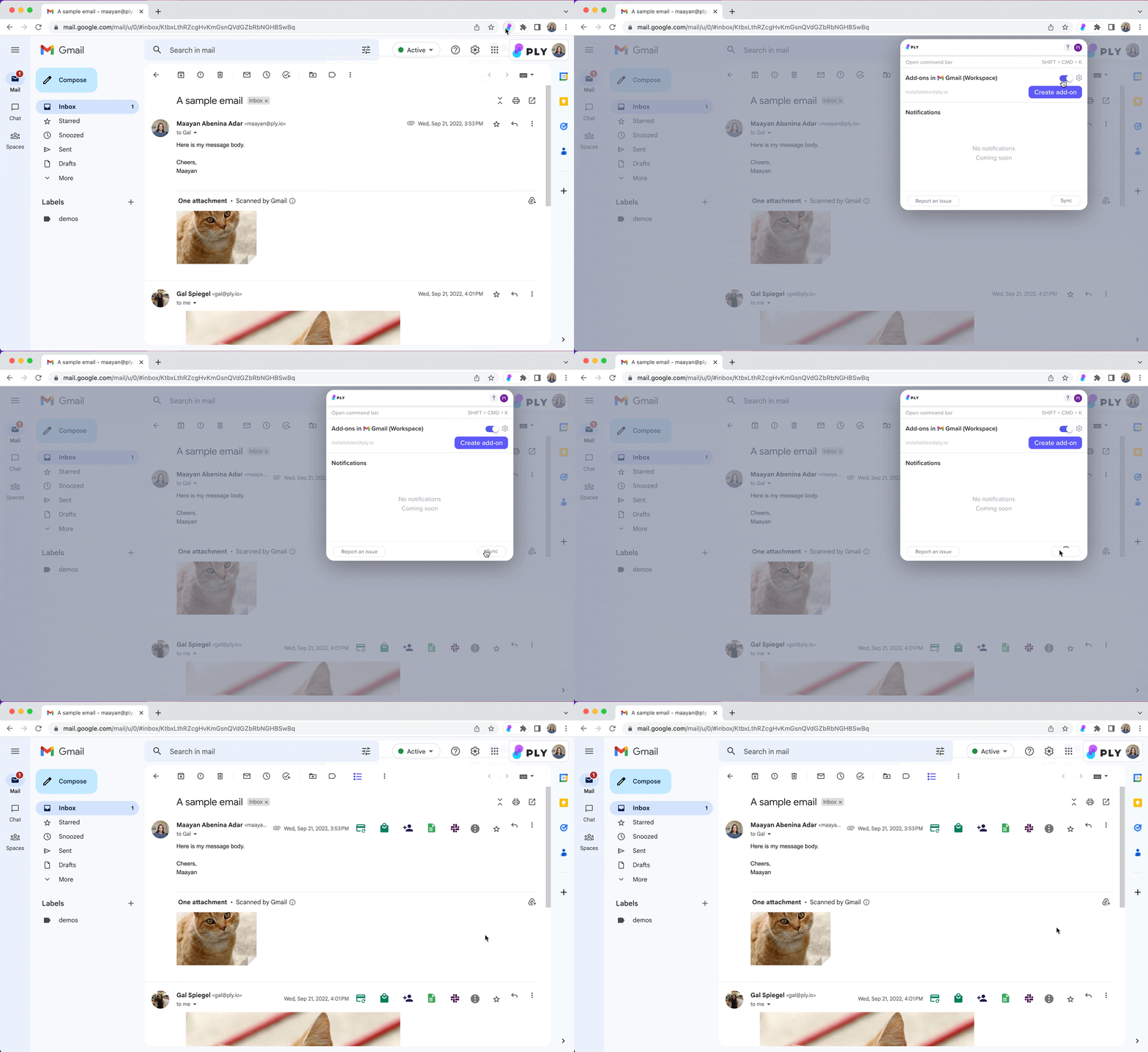
Make sure you're logged into the right Ply account.
Reach out to us if you're still don't see your buttons.
Why don't I see interfaces/the builder in my other apps?
This is probably happening because your privacy settings don't allow third-party cookies; Ply uses third-party cookies to check if you're logged into Ply.
Follow these steps:
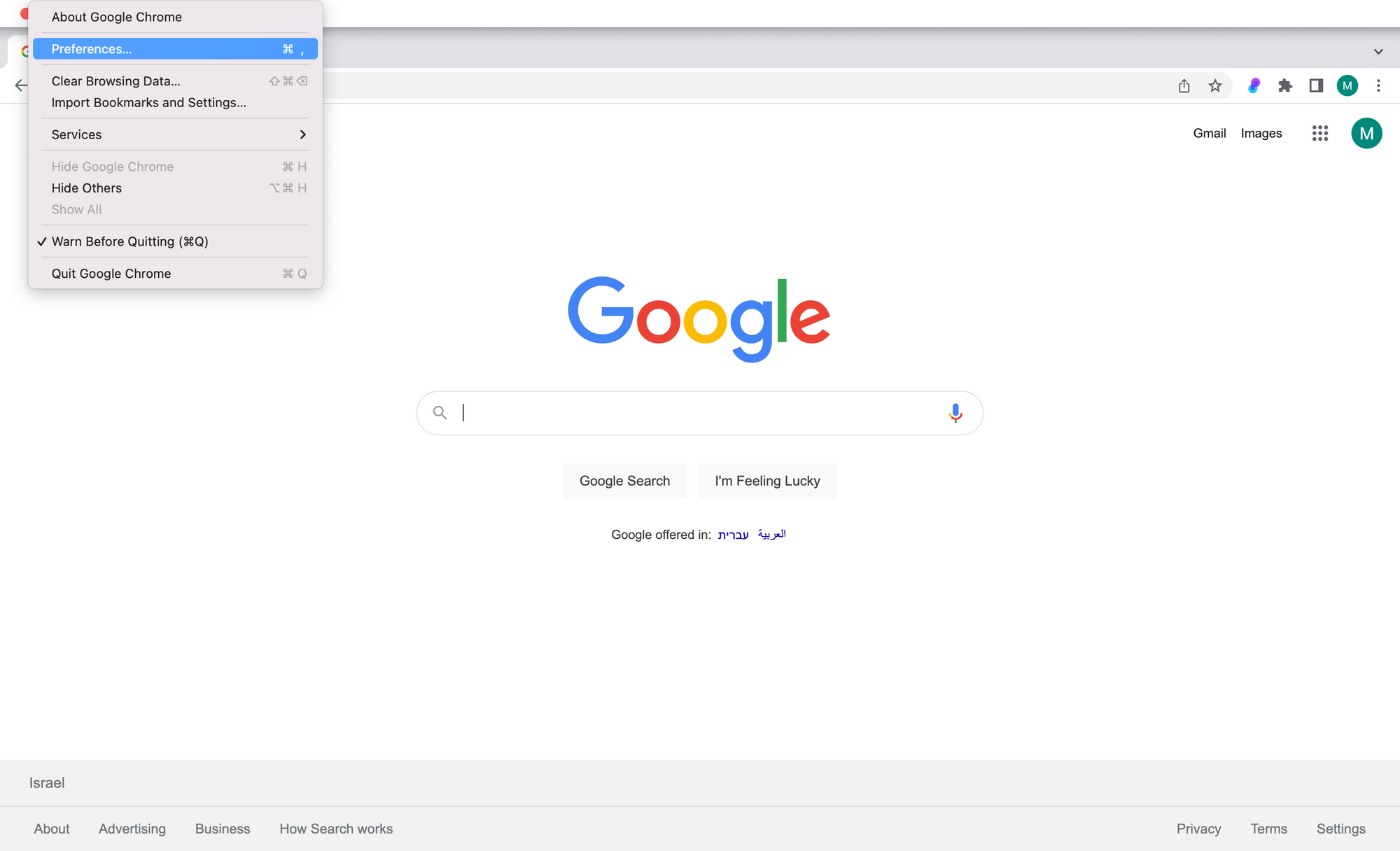
Open Chrome settings > Preferences
Search “privacy” and open Cookies and other site data
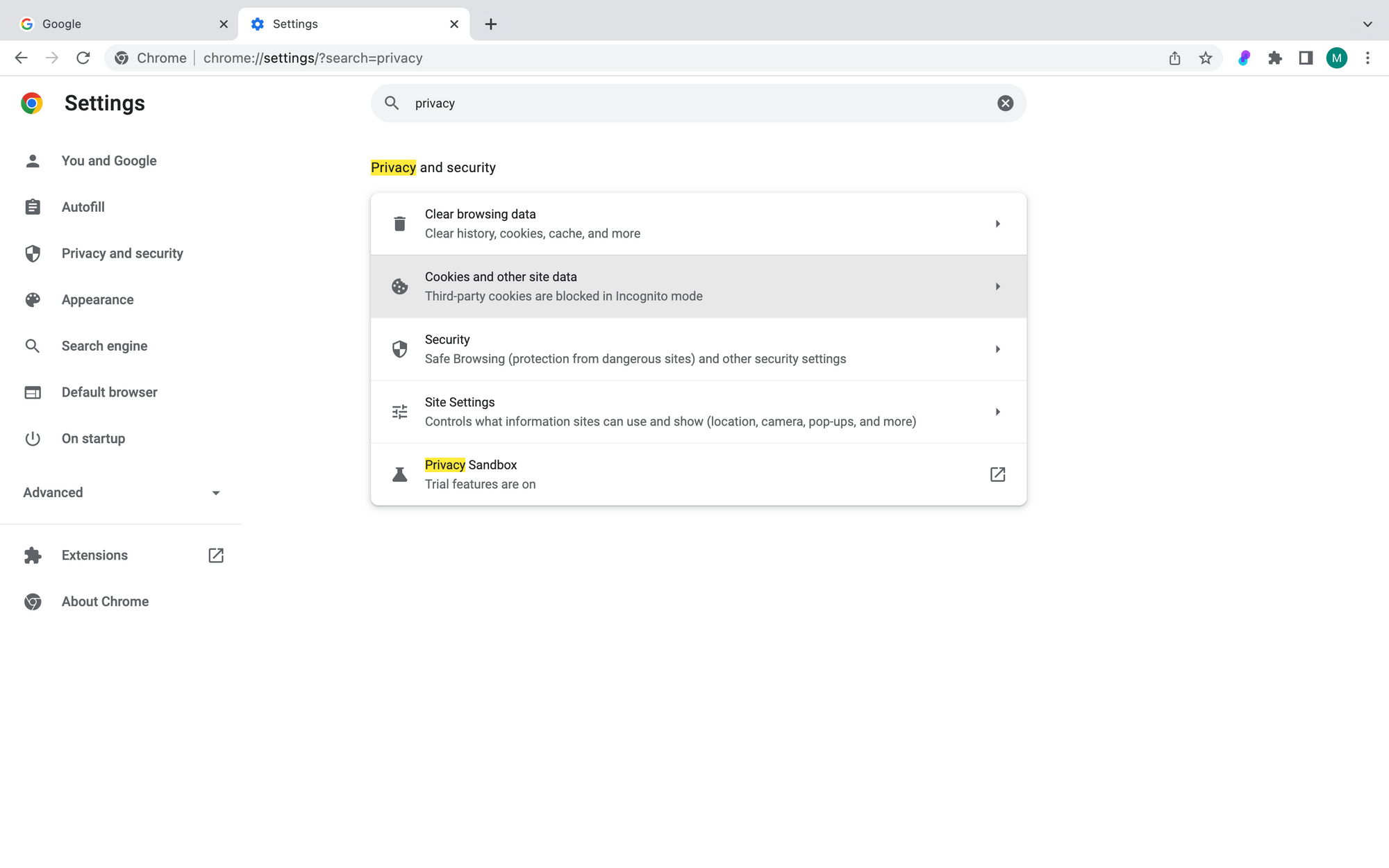
Give third-party cookie access
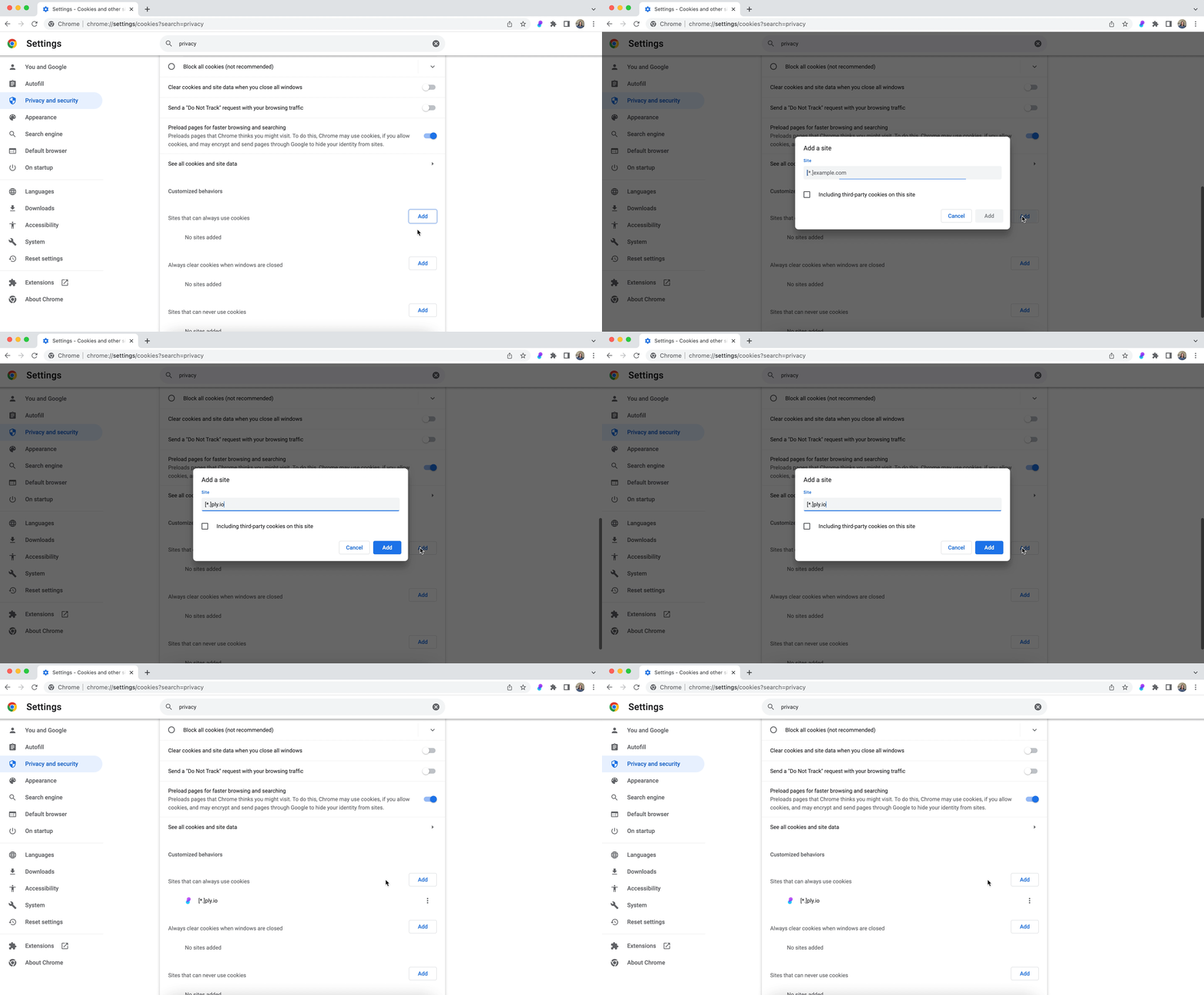
To give only Ply permissions for third-party cookies, check Block third-party cookies and add [*.]ply.io as a site that can always use cookies
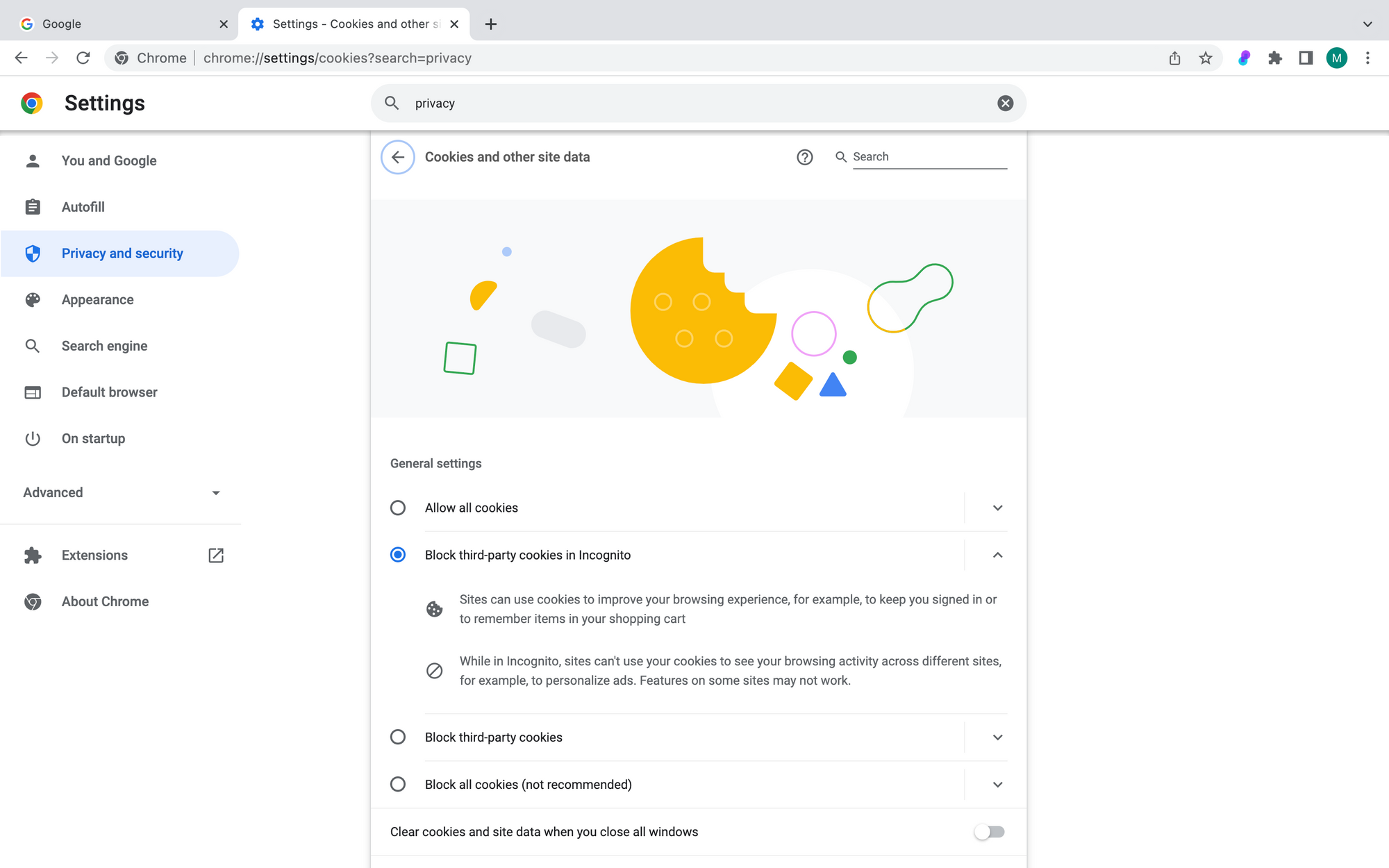
To allow third-party cookies in general, check Block third-party cookies in Incognito (they will be allowed in regular browsing)
Having trouble? Reach out to team@ply.io. We're available throughout the week except Friday and Saturdays, and we respond on average within 3 hours.
Last updated