
Loop until a condition is met
AKA, loop with break condition – this helper lets you run a workflow repeatedly until a certain outcome is achieved
This helper is useful if there's an outcome you want to achieve. Add the helper Loop until a condition is met, then add steps inside the loop that can bring about the outcome.
This is useful when…
You want to return the user to stay within a part of the workflow until they provide the right type of input
You want to run an action or collection of actions a fixed number of times, e.g. 5 times
You want to keep trying to retrieve an item or dataset from your app until it finally returns in a response
You want to retrieve multiple tables (e.g. pages of results) and stack them all together
Setting up the loop
Start by creating a loop. Then, add steps inside of the loop.
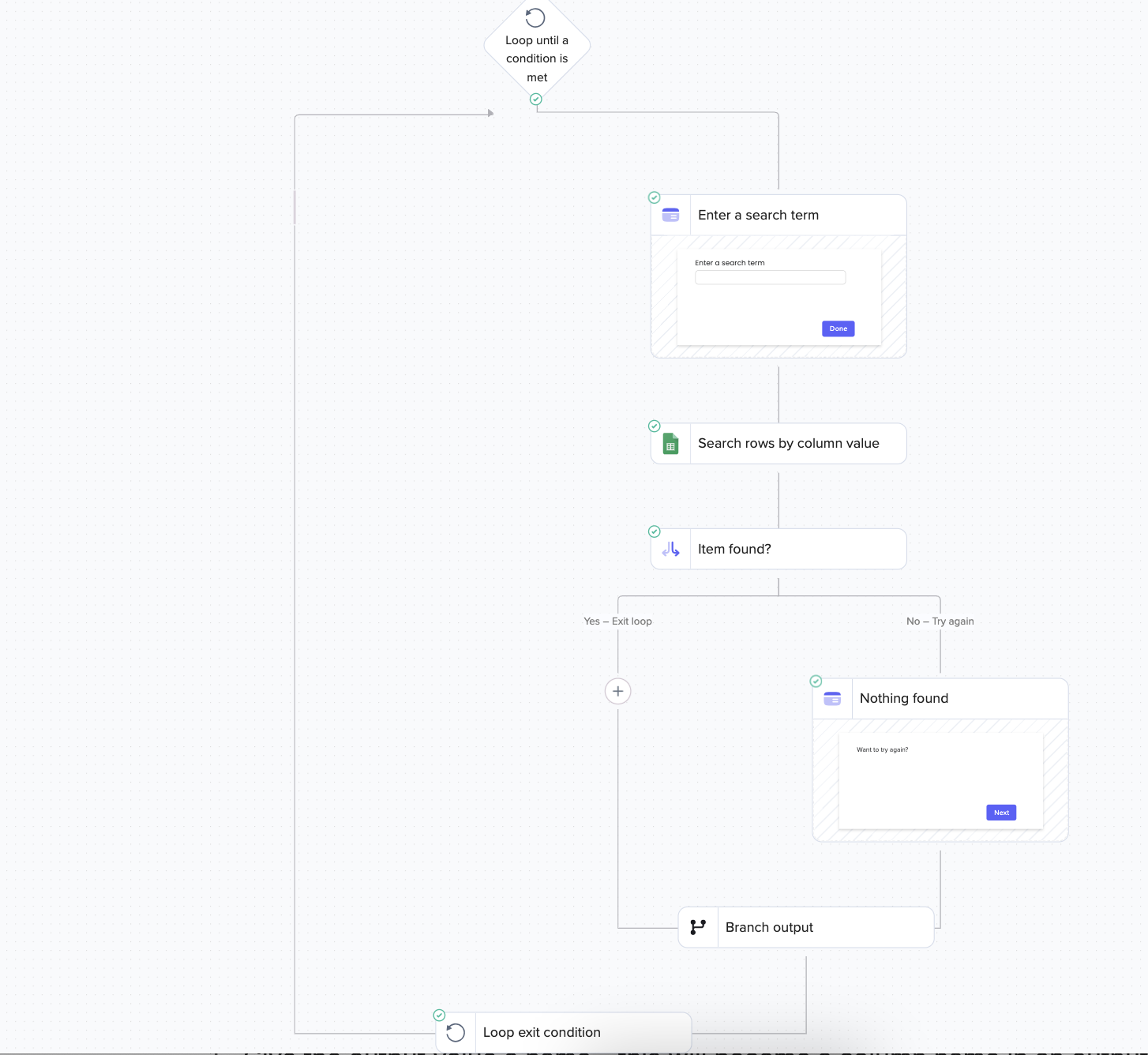
For example, this loop keeps running until the user enters a value into the interface that yields a search result:
Loop exit condition
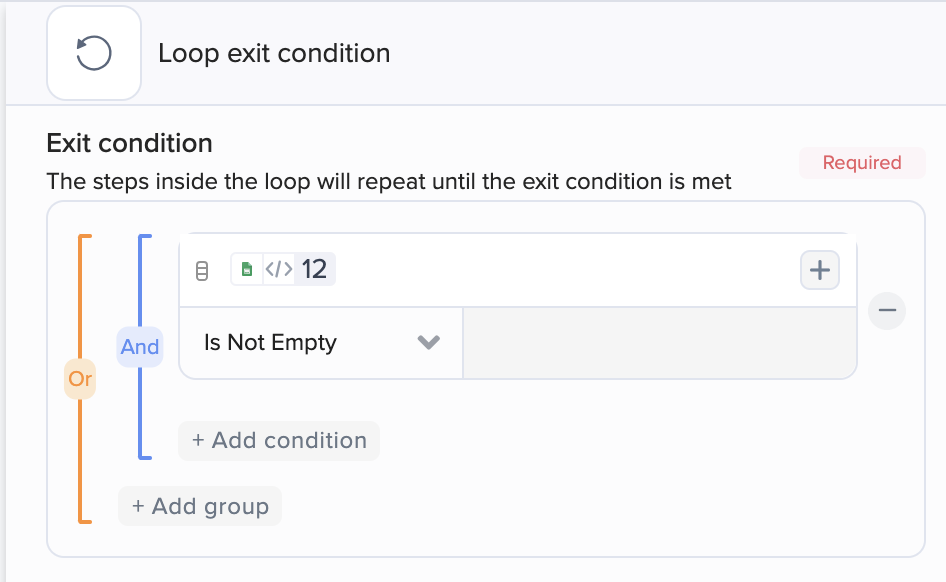
Define the condition that will let the workflow move on to later steps. In our example, the loop stops when the search result is not empty:
Loop output
Loop output lets you collect data from loop runs into a table that you can use in later steps.
Example
Let's say that you've added a search step inside a loop. With loop output, you can collect all the search results into a table to be used in a later step e.g. to be displayed in an interface.
Step-by-step instructions
Give the output value a name – this will become a column name in an output table
Map a value into the field. Typically, you'll want to map this from a step inside the loop.
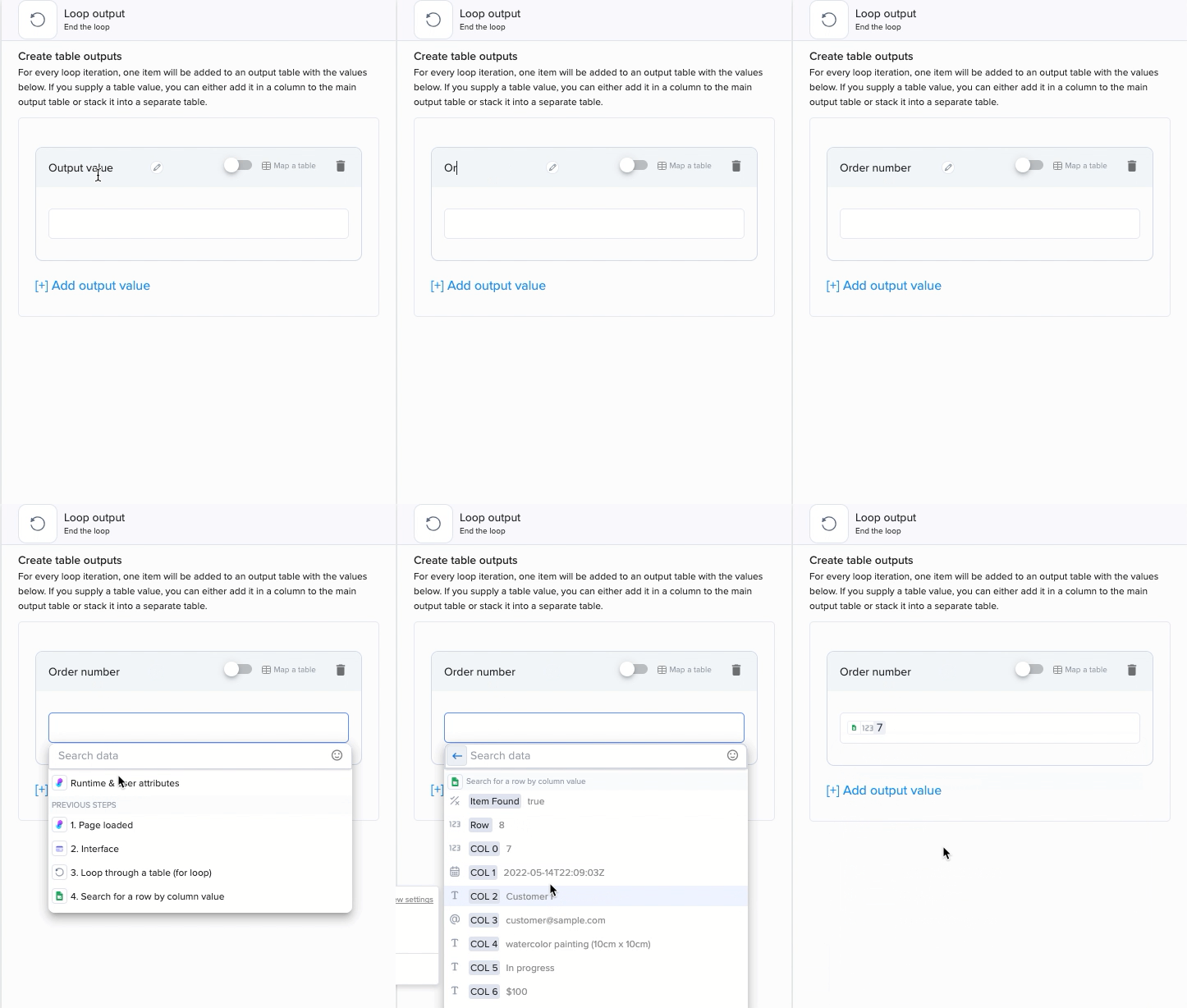
If you supply a table value, you can decide to add it as a new column in the main table or stack it into a separate one.
Testing the output step will output mini-tables, containing just a single item (or a single stack):
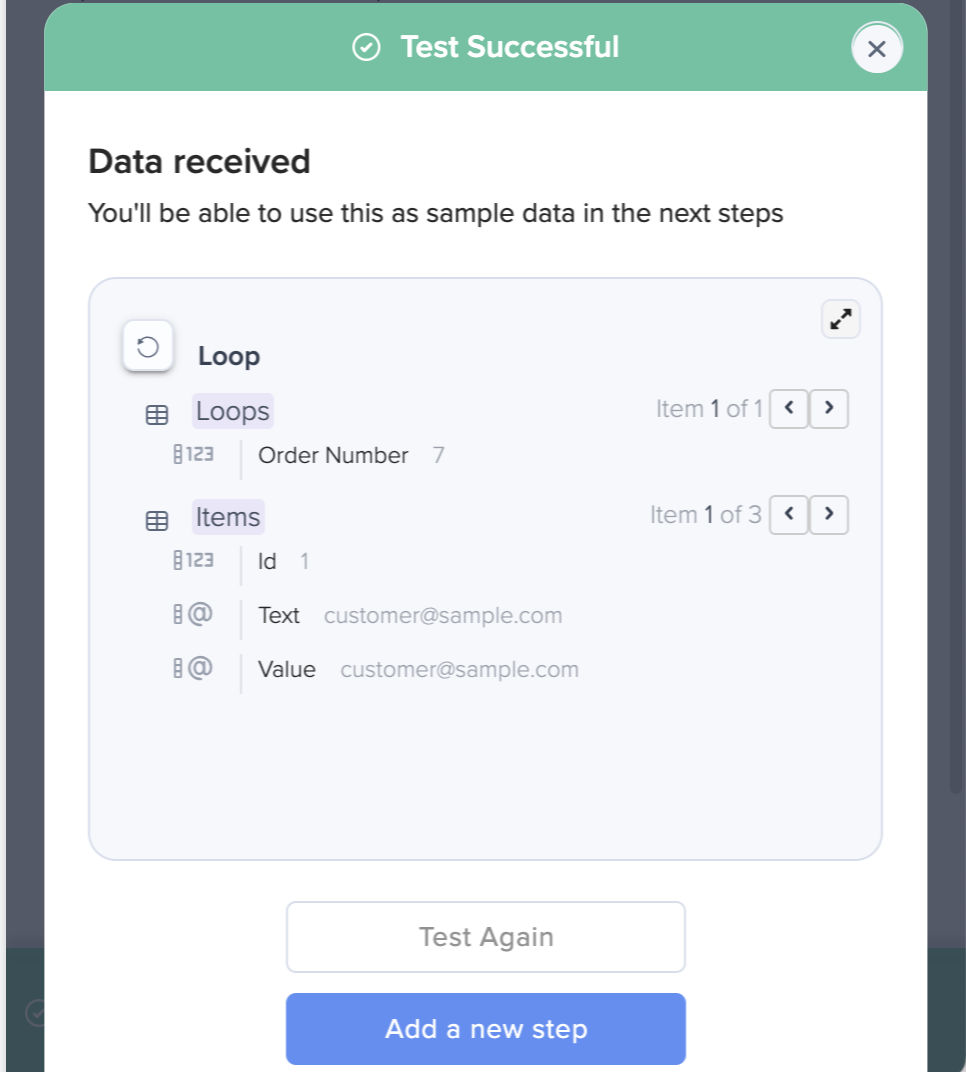
You can use these mini-tables to setup later steps. When the loop runs, later steps will receive the full loop output.
Last updated