
Customize loader text
Loader text appears between steps in your interface, providing users with context while actions are being completed.
By customizing your loader text, you can improve the user experience by providing clearer and more relevant feedback during actions. You can customize your loader text in two ways:

Customize default loader text for all interfaces
Set a general loader text that applies to every step across all your workflows.
How to set it up:
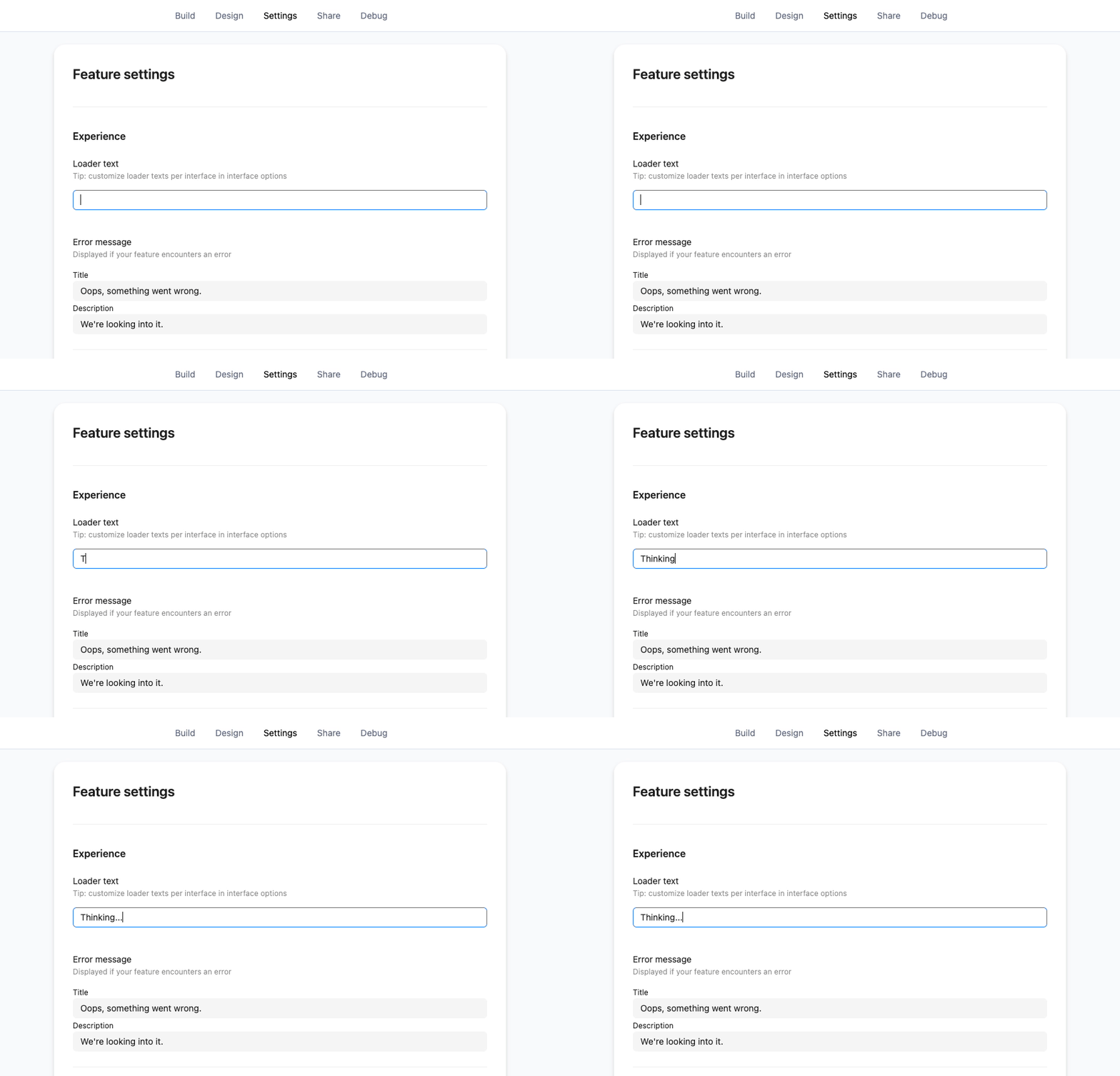
Go to Settings > Experience in the Ply builder.
Enter your preferred default loader text.
Tip: Use a general phrase like "Loading..." or "Completing actions..." since this will appear for all interfaces by default.
In this section you can also edit the text displayed if your feature encounters an error
Customize loader text for a specific interface
Override the default text with interface-specific loader messages for more relevant context.
How to set it up:
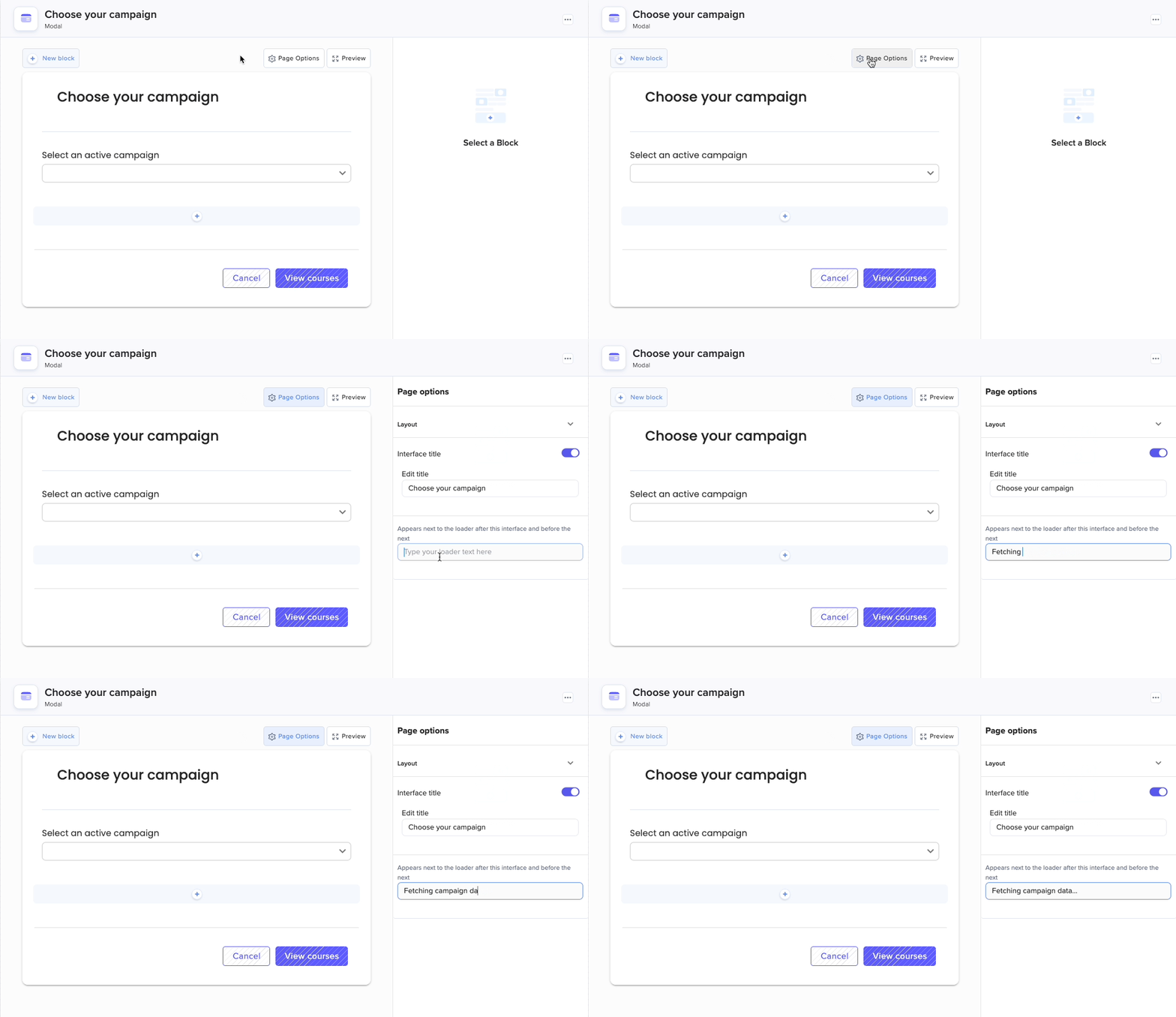
When building an interface, click on Page Options.
Locate the field for customizing loader text.
Enter your specific loader text (e.g., "Fetching data..." or "Sending email...").
This text will appear between steps in the selected interface and will take precedence over the default loader text.
Last updated