
Tasks
Your plan in Ply has a certain task quota, which determines a usage limit for team features, customer features, and automations. Learn about tasks here.
A task is a step in a feature's workflow that runs successfully. Tasks come in three types:
Team feature tasks Counted every time a step in a team feature runs successfully
Customer feature tasks Counted every time a step in a customer-facing portal runs successfully
Automation tasks Counted every time a step in an automatic feature with no user runs successfully
Your Ply plan provides separate quotas for each task type. This way, as your usage in Ply increases, you can increase these quotas to match the specific types of features you use most.
How tasks are counted
Every step in the feature's workflow that runs gets counted as a task. The trigger is not included.
For example, if your feature is triggered by a webhook, incoming webhooks will not contribute to your task usage (though steps that run after the webhook will).
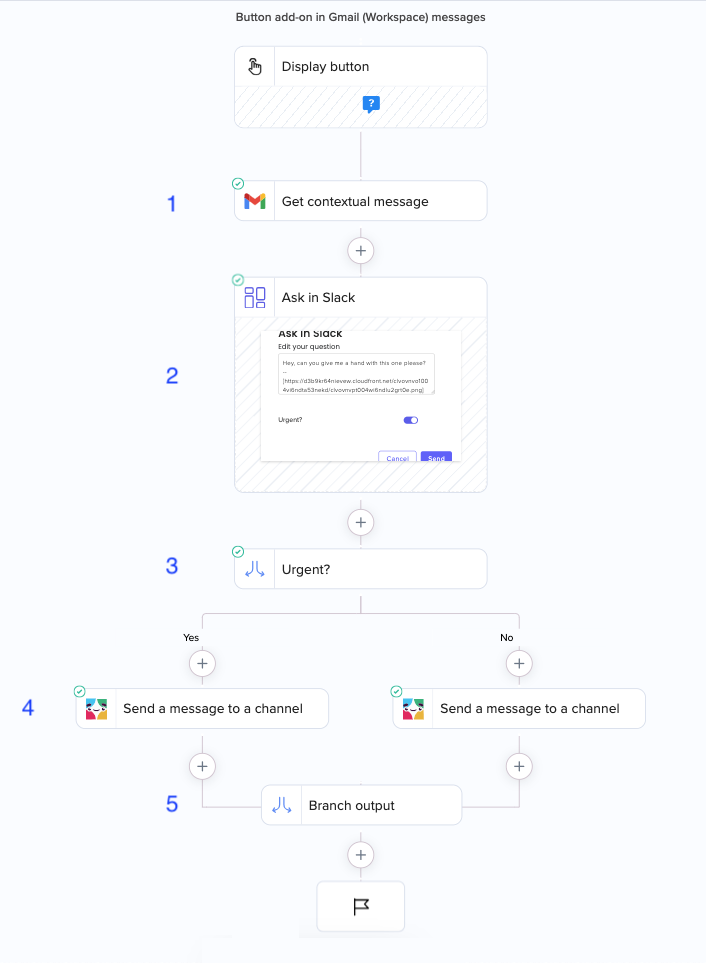
If the workflow includes a branch, only steps in the branch that runs get counted as tasks. A successful run of all of the following steps would use 5 tasks:
Errors
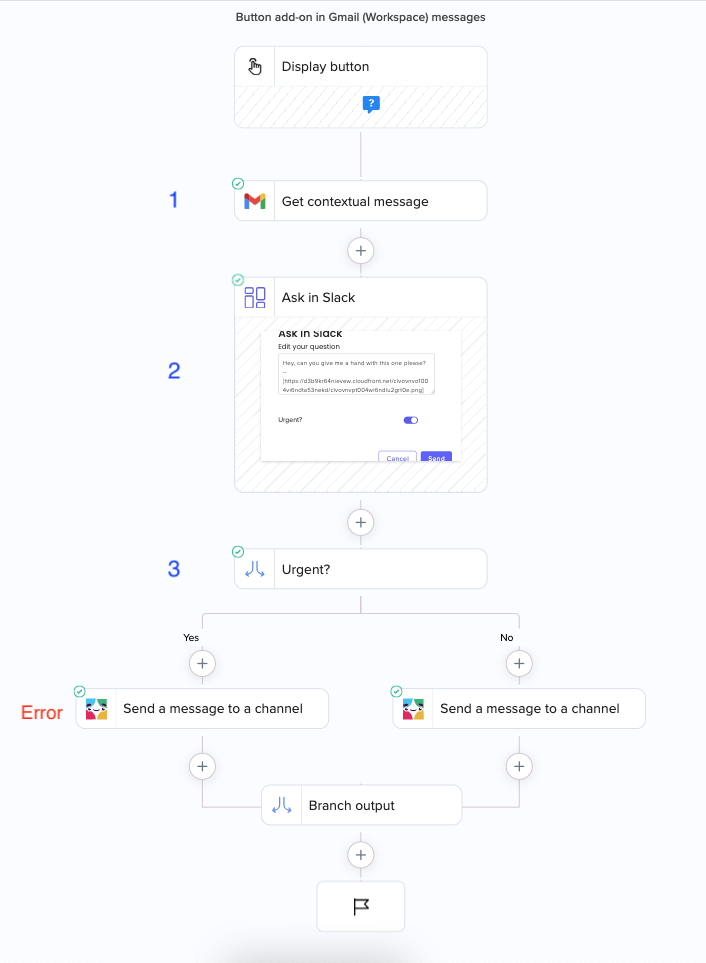
If a feature run ends in an error, all of the steps that ran until the error occurred will count towards the task quota.
For example, a run that ends in an error in the Slack step would use 3 tasks:
What happens when you run out of tasks
We’ll email workspace admins when your workspace approaches your plan's task quota.
For paid customer feature and automation plans, you have the option to exceed your quota and receive an overage invoice at the end of your monthly cycle. Learn more here.
Last updated