
End users' guide
Learn how to use and manage features. Click here to learn how to build.
How do I turn features on or off?
To turn off an add-on in your app, right click on its button and hide it:
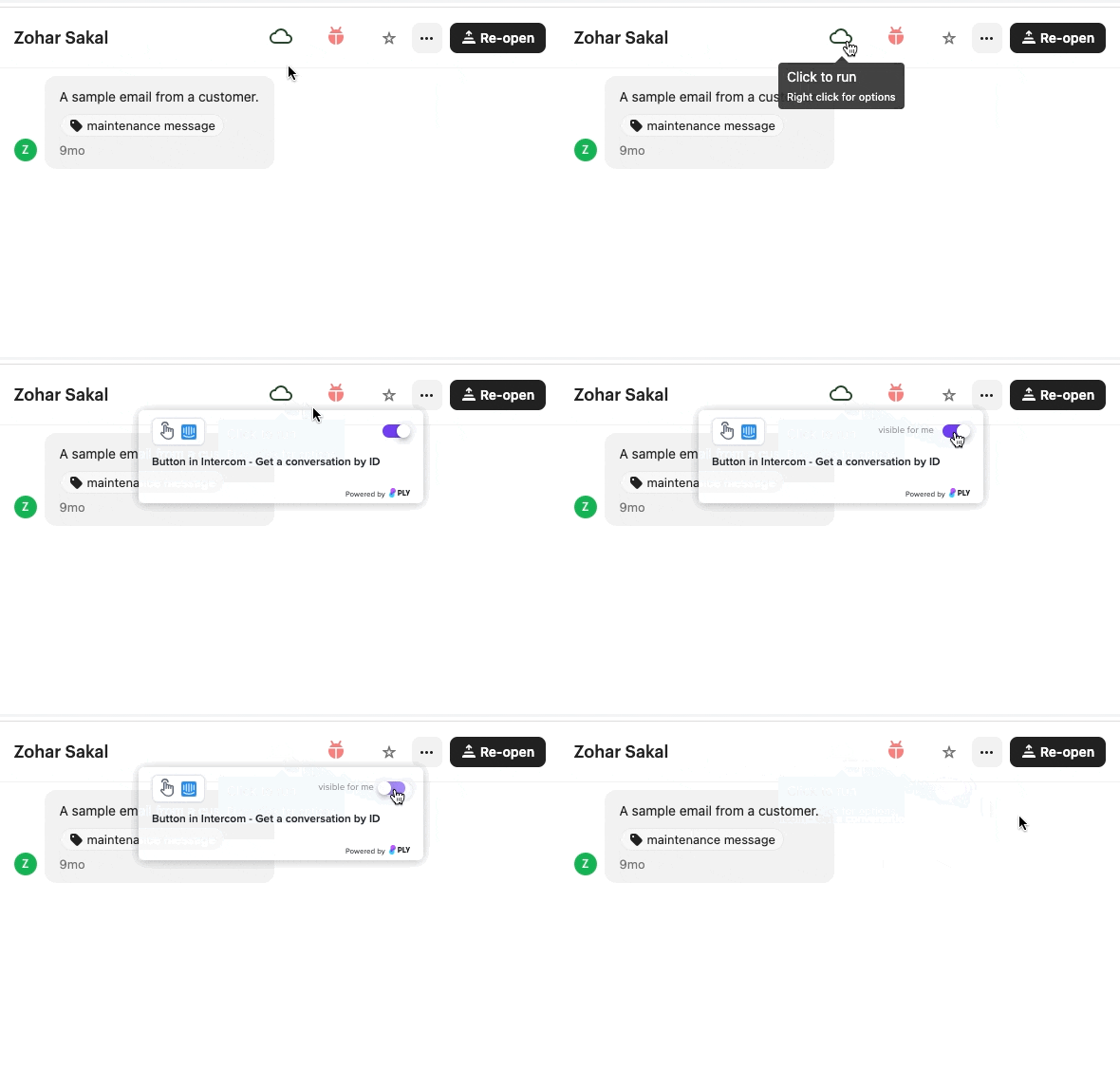
You can turn all features in app on or off by clicking on the extension:
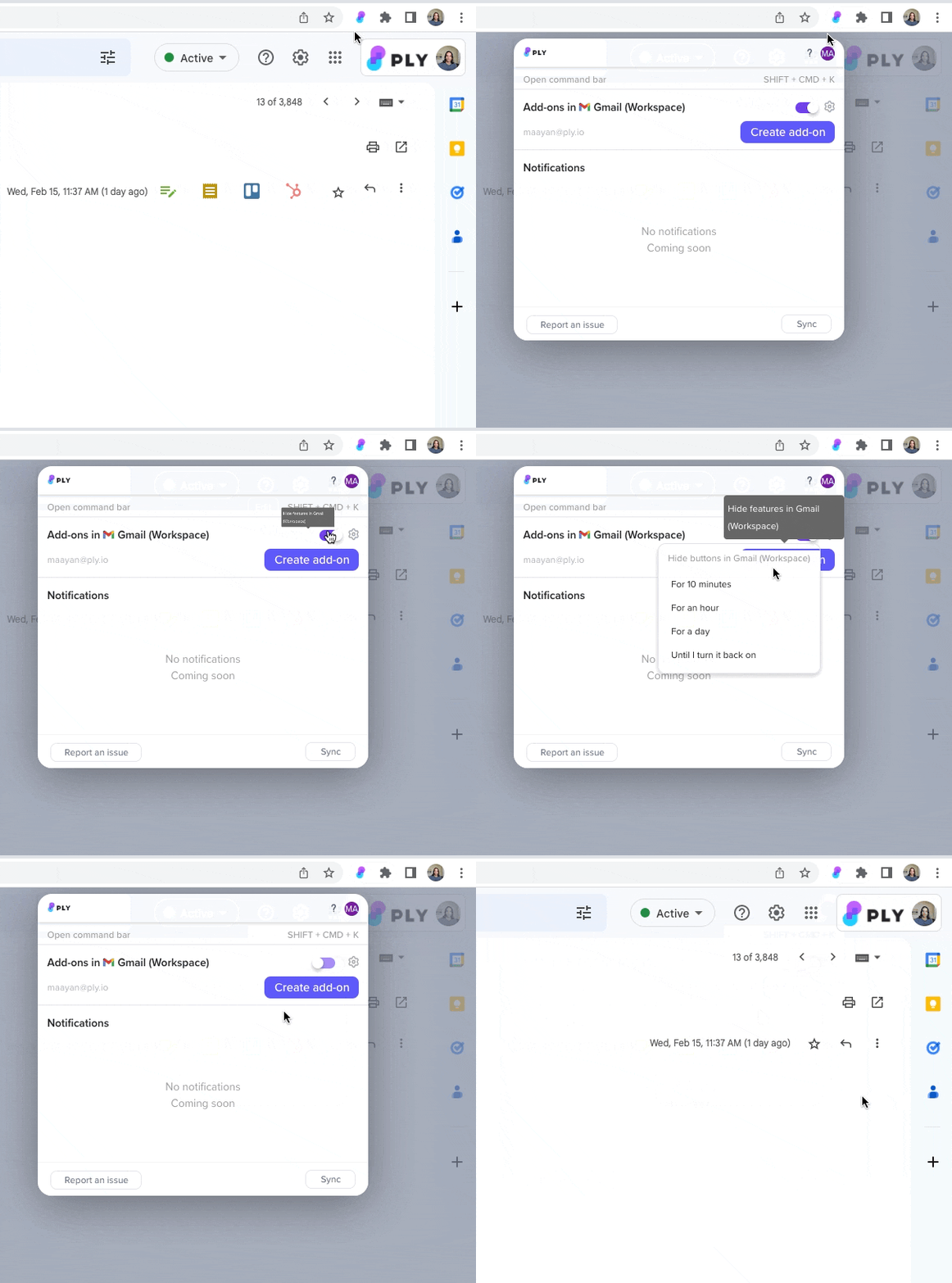 '
Turn off tools in the command bar from Ply's webapp.
What are account connections?
Account connections are credentials stored in Ply that let your features access data in your apps. If you're using a shared feature, the person who shared the feature with you set up its connections. If you installed a feature from Ply's marketplace, you added connections when you first set it up. Right click on its button and click Setup to update the connections.
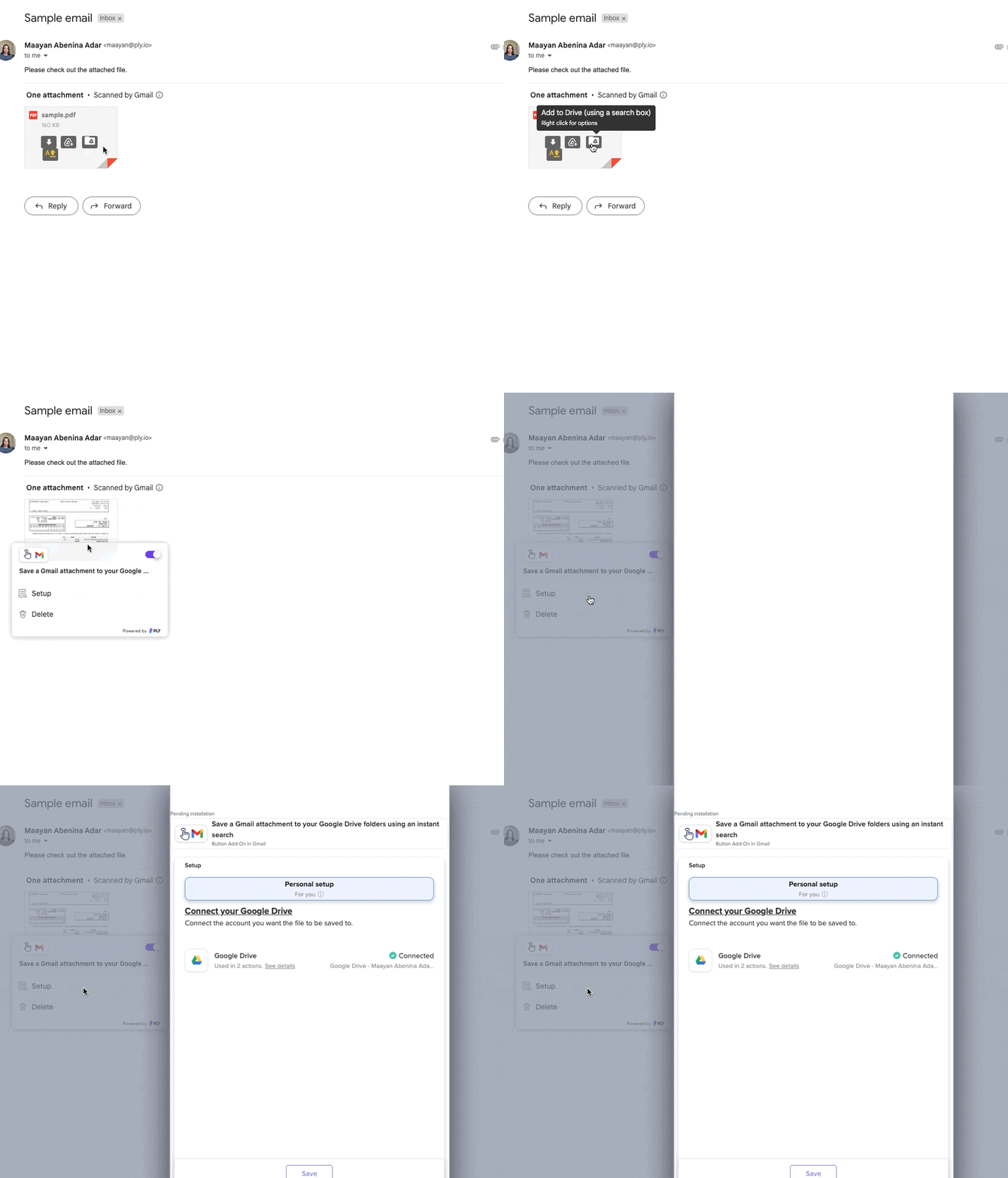 If you built your own feature, you set up the connections manually when you built it. Edit the feature to change connections.
Last updated